扩展与 Mac App 已同步更新。
清晰、稳定、本地完成的 ZEBRA 标签打印
一键从 Chrome
一键从 Chrome
打印清晰的 Zebra 标签
PrintBridge for Zebra 让 Chrome 扩展和 Mac 本地 App 直接协作。避开浏览器默认打印链路,让条码、二维码和小字保持清晰。
本地处理。无需上传。无需账号。
同时需要 PrintBridge Mac App
版本 0.5.2macOS 12+Zebra ZP505
支持当前页、最新下载与本地 PDF查看全部功能
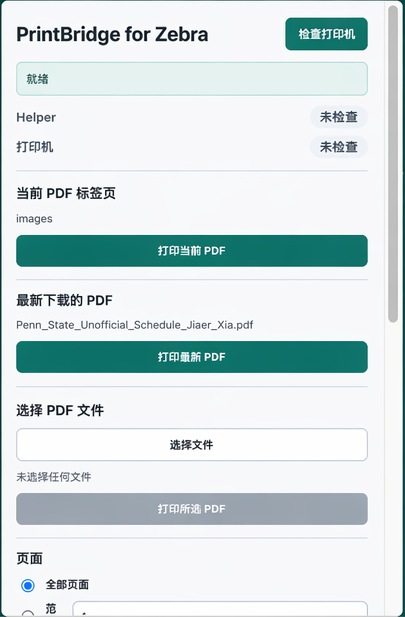
当前页面、最新下载或本地选择。
扩展负责入口,App 负责稳定输出。
并支持保存更多自定义尺寸。
为每天处理标签的发货团队而设计
适合仓库、订单履约、电商发货和需要重复打印清晰标签的 Mac 工作流。
WAREHOUSEFULFILLMENTSHIPPINGECOMMERCEOPERATIONS
为什么要绕开 Chrome 默认打印流程
当标签需要更清晰、更稳定,或同一批次需要连续输出时,默认打印流程很快会成为瓶颈。
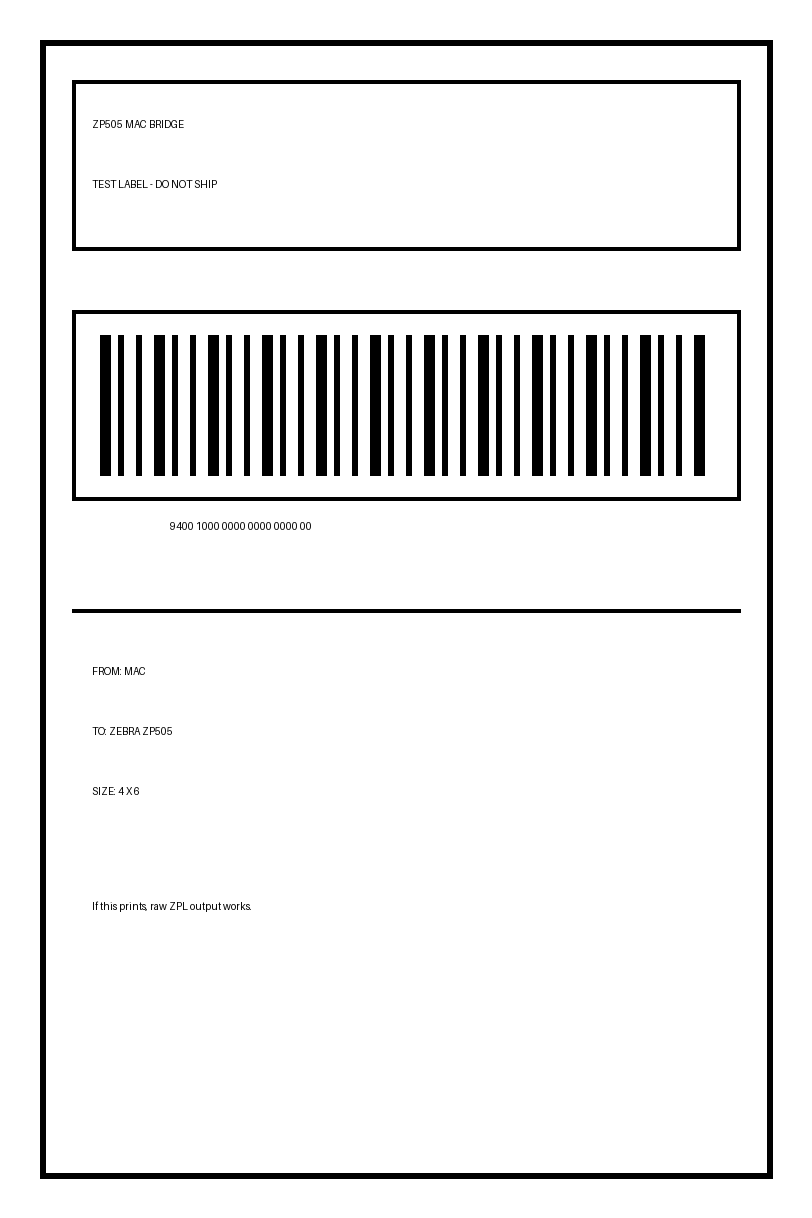
避免条码和小字发虚
通过本地 App 按热敏打印机的尺寸和输出方式处理 PDF,而不是交给浏览器通用打印。
文件无需上传到第三方
扩展和 App 在本机协作,适合发货标签、订单信息和其他不应外传的文件。
多页任务不再重复操作
逐页预览,选择当前页、全部页或自定义范围,减少重复打开和打印。
工作原理
三步完成设置,之后每次打印都留在熟悉的 Chrome 与 Mac 工作流中。
安装扩展与 Mac App
添加 Chrome 扩展,下载并打开一次 PrintBridge Mac App。
检查本地 App 与打印机
确认 helper 状态、打印机状态和需要使用的 macOS 队列。
预览并打印标签
选择 PDF、标签尺寸和页码,确认预览后发送到 Zebra 打印机。
团队选择 PrintBridge 的三个原因
它专注于更清晰的标签、更短的本地链路和可重复的批量打印。
对于发货团队
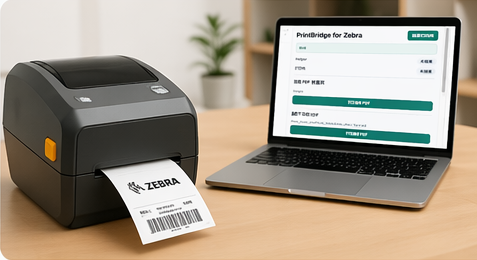
从订单 PDF 直接输出清晰的 4×6 标签
在 Chrome 中打开标签后直接打印,避免每次进入系统打印窗口重新缩放和检查。
- ✓ 适用于常见物流与发货标签
- ✓ 标签数据不需要先上传
- ✓ 保持条码、二维码和小字清晰
对于批量任务
逐页预览多页 PDF,再决定打印范围
在一个界面中查看页数、上一页和下一页,并按当前页、全部页或指定范围打印。
- ✓ 支持多页预览和翻页
- ✓ 支持保存自定义标签尺寸
- ✓ 减少连续标签之间的停顿
对于本地运维
分别查看 App 和打印机的真实状态
检查时分别显示本地 helper 与打印机队列,问题出在哪里一目了然。
- ✓ helper 与打印机独立检查
- ✓ 自动识别可用的 macOS 队列
- ✓ 支持窄窗、中窗和宽窗布局
比较打印方式
PrintBridge 的优势,是把 Chrome、Mac App 和 Zebra 队列放进一条更短的本地链路。
| 功能 | PrintBridge | Chrome 默认打印 | 在线转换工具 |
|---|---|---|---|
| 文件无需上传 | ● 本地处理 | ● 本地,但流程通用 | ● 通常需要上传 |
| 针对 Zebra 标签优化 | ● 是 | ● 否 | ● 因工具而异 |
| 多页预览与页码范围 | ● 是 | ● 能力有限 | ● 因工具而异 |
| helper 与打印机独立状态 | ● 是 | ● 否 | ● 否 |
| 当前页、最新下载、本地 PDF | ● 全部支持 | ● 需要手动选择 | ● 需要上传 |
免费下载,安装后即可开始
Chrome 扩展与 Mac App 需要配合使用。当前版本 0.5.2。
免费
把 PrintBridge 添加到浏览器,打开 PDF 后直接进入本地打印流程。
- • 当前 PDF 标签页
- • 最新下载的 PDF
- • 手动选择本地 PDF
- • 多页与页码范围
本地助手
负责打印机识别、PDF 处理与发送,让标签输出更清晰稳定。
- • macOS 12 或更高版本
- • Zebra ZP505 优先优化
- • 本地处理,无需上传
- • DMG 与便携 ZIP 两种格式
安装 PrintBridge 之前的问题
关于隐私、兼容性和日常使用的常见问题。
不会。核心处理发生在你的 Mac 本地,扩展将任务交给本地 App,不需要把标签文件上传到在线转换服务。
扩展负责读取 Chrome 中的 PDF 和打印选项,Mac App 负责与系统打印队列通信并完成输出。
当前重点针对 Zebra ZP505 优化,同时允许选择其他本地打印队列。其他机型建议先用少量标签验证。
可以。你可以逐页预览,并打印当前页、全部页或自定义页码范围。
默认支持常用 4×6 标签,也可以在应用中保存更多自定义尺寸。
现在安装,几分钟内打印第一张清晰标签
在你的真实 PDF 和 Zebra 打印机上测试。文件留在本地,扩展和 App 免费下载。